|
Zeiss IOLMaster Customer Service: 1-877-486-7473 ext.
4030
IOLMaster — Exit Program.
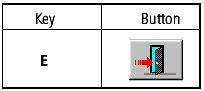
Switch Off — Shut Down — Exit Program
- When all measurements have been completed, exit the program by
pressing the EXIT icon (as shown above) or
<E> key.
- Then press OK or <ENTER>.
The data of the current (last) patient will be saved automatically.
- When the "It's now safe to turn off" message appears, turn the IOLMaster off by the main switch.
- Wait until the screen goes off before pulling the main plug or
switching off at the main.
 |
IMPORTANT:
When the power switch is turned off while the IOLMaster is in operation,
the software automatically quits. Be sure to wait until the screen
is BLANK before unplugging the IOLMaster or switching off the electric
source.
Disconnecting the IOLMaster whilst the
IOLMaster is running, will interfere with the
software shutting down properly. This may lead to
loss of data or major errors in the IOLMaster's software.
|
 |
Note
The procedure described above does not apply in the case of
breakdowns or if the IOLMaster does not respond to
your input. If this occurs, switch off the IOLMaster immediately and
disconnect the power cable. Label the IOLMaster as being defective
and call Carl Zeiss Service. |
Restart the IOL Master, by observing the instructions
in:
Troubleshooting.
|




 IOLMaster Checklist (pdf)